STORE CHAIN
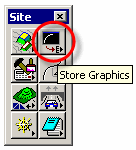
To store a Chain, select Applications > GEOPAK Site (or from within Survey) > Geometry > Store Graphics:
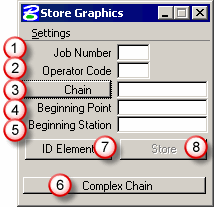
Fill in the Store Graphics dialog as necessary:
 |
Job Number | the GPK File |
 |
Operator Code | your initials |
 |
Chain | horizontal alignment |
 |
Begin Point | first COGO point # in the chain |
 |
Begin Station | beginning station # of the chain |
 |
Complex Chain | chain, selection set, or single element |
 |
ID Element | data point on the MS alignment |
 |
Store | click Store to store to the GPK |
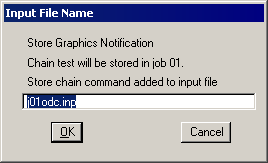
Click OK to store the chain to the GPK file:
HOME NEXT > DRAW PATTERN LINES
This site created by:

Copyright © 2009 DTM Solutions.